Product

See QAT on the shop floor.

Real screens from the Managing Director walkthrough — dashboard, quotes, approvals, machines, and rates.

Request a licence How it works

New Quote

Build the job once, with live totals.

Parts, materials, machines, and labour in one place — the number updates as you work.
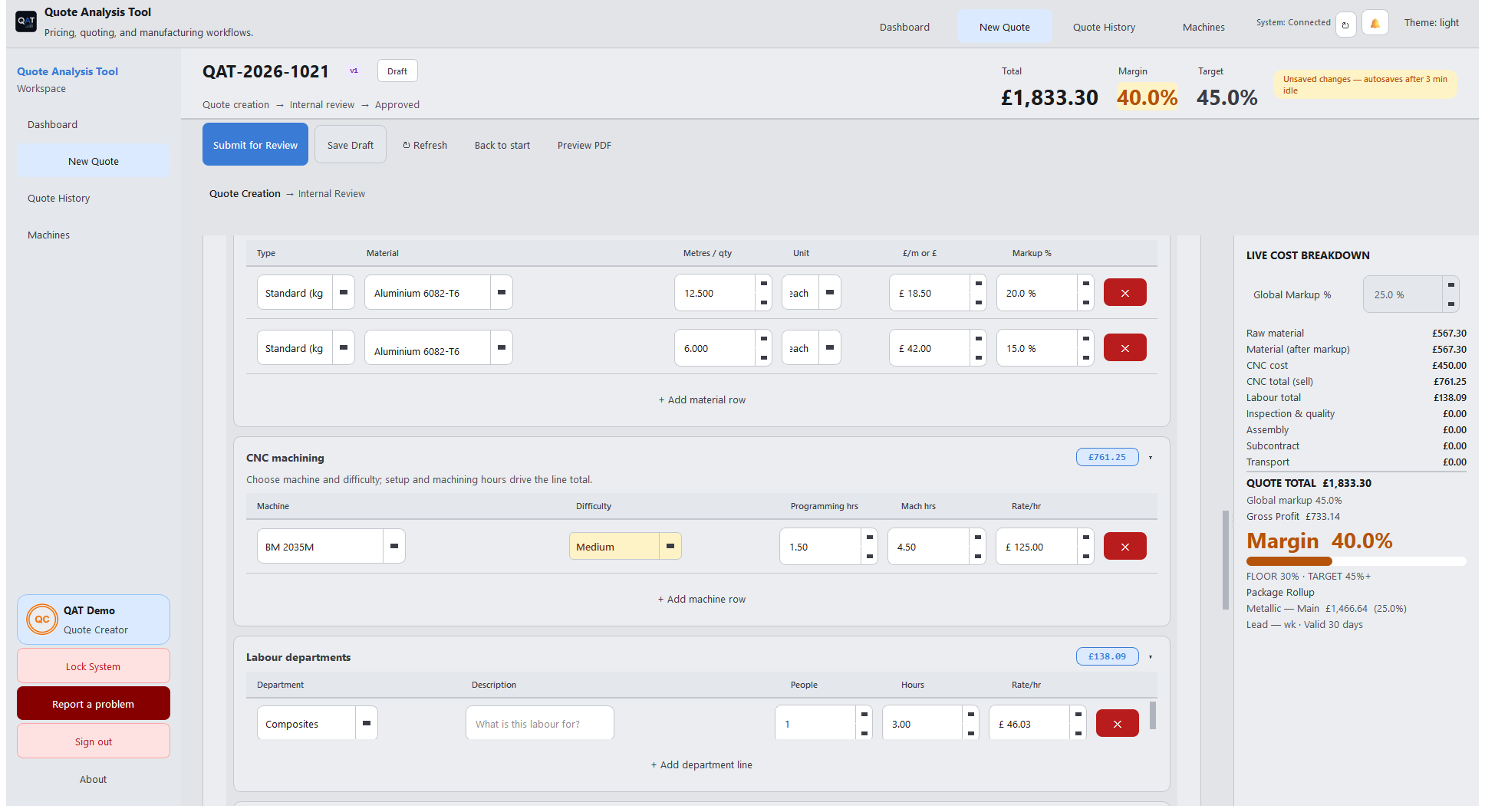
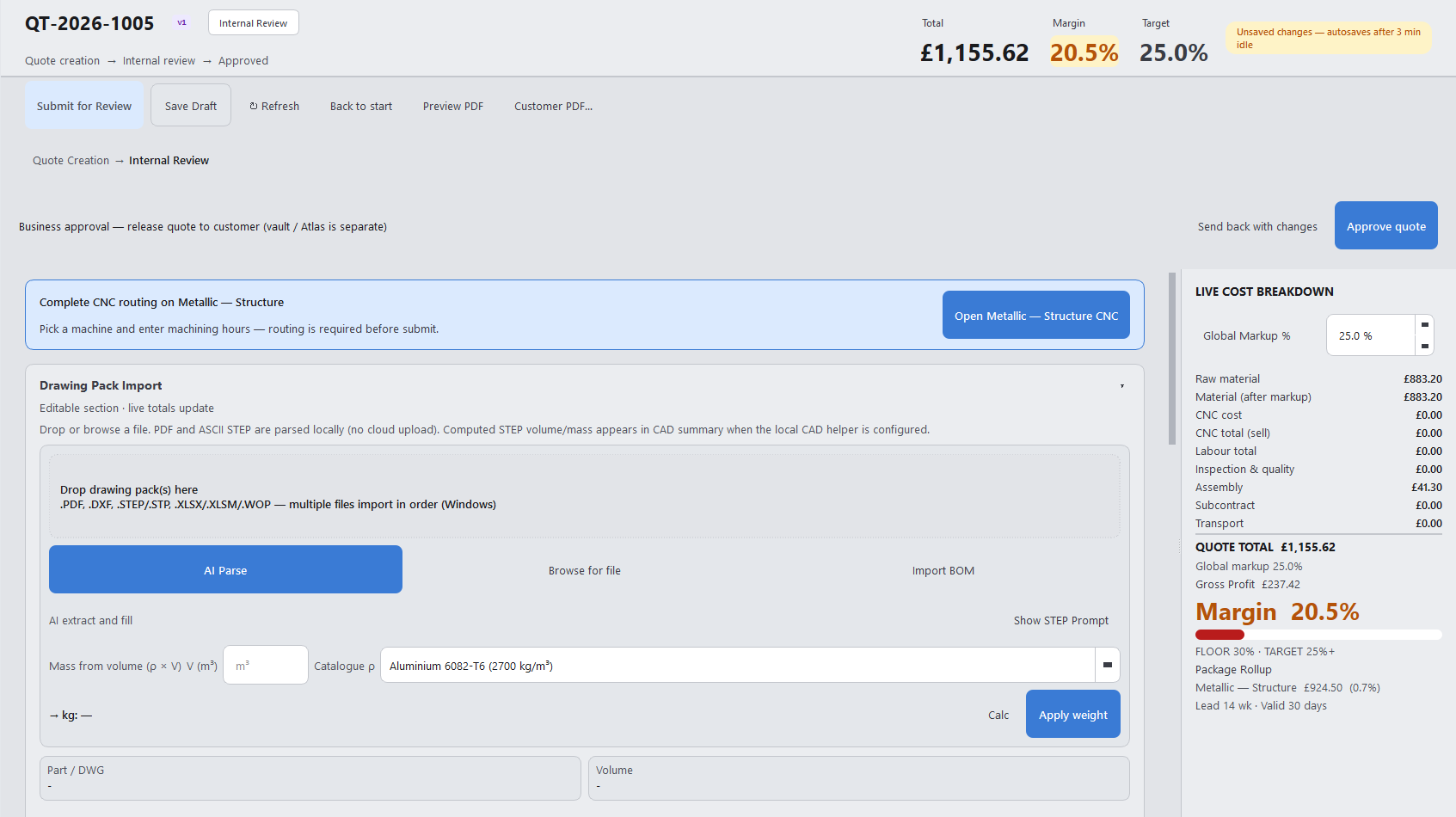
New Quote screen
New Quote
Finance (ongoing)

FC watches rates — not a one-off after quotes.

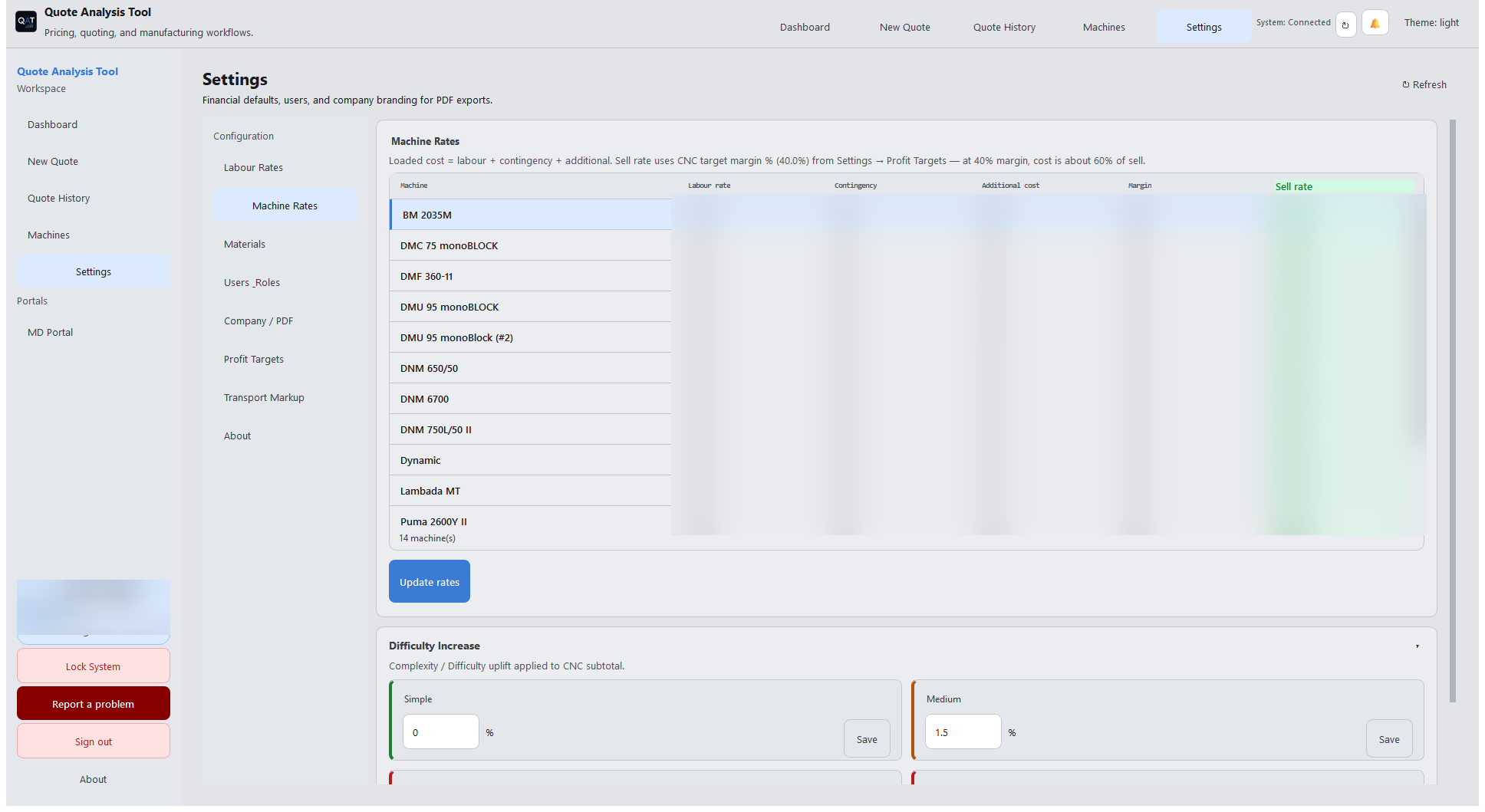
Labour rates, machine rates, contingency, and quote financial tools. Changes that affect money wait for MD or Developer approval.
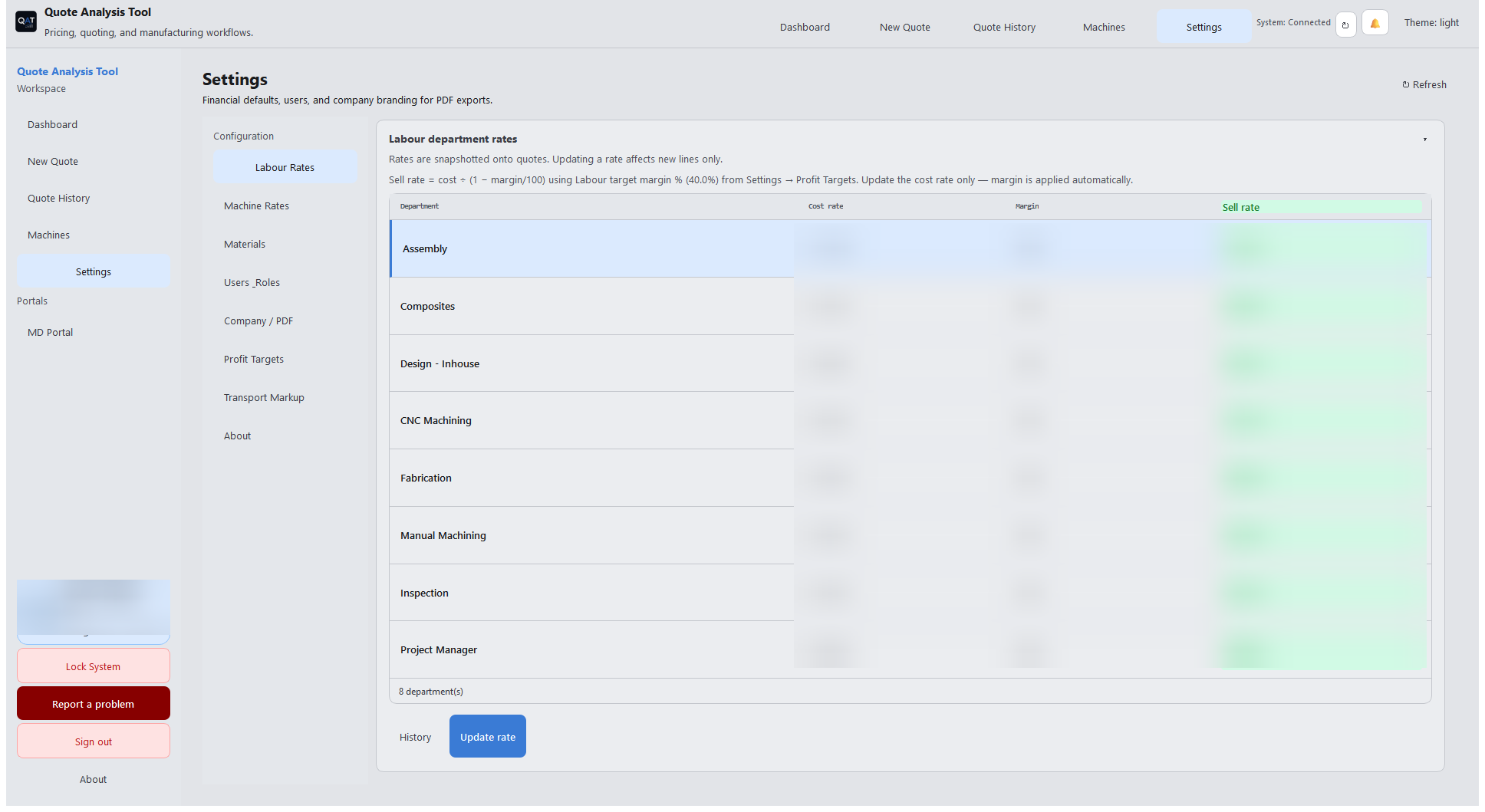
Labour rates
Labour Rates — FC proposes changes
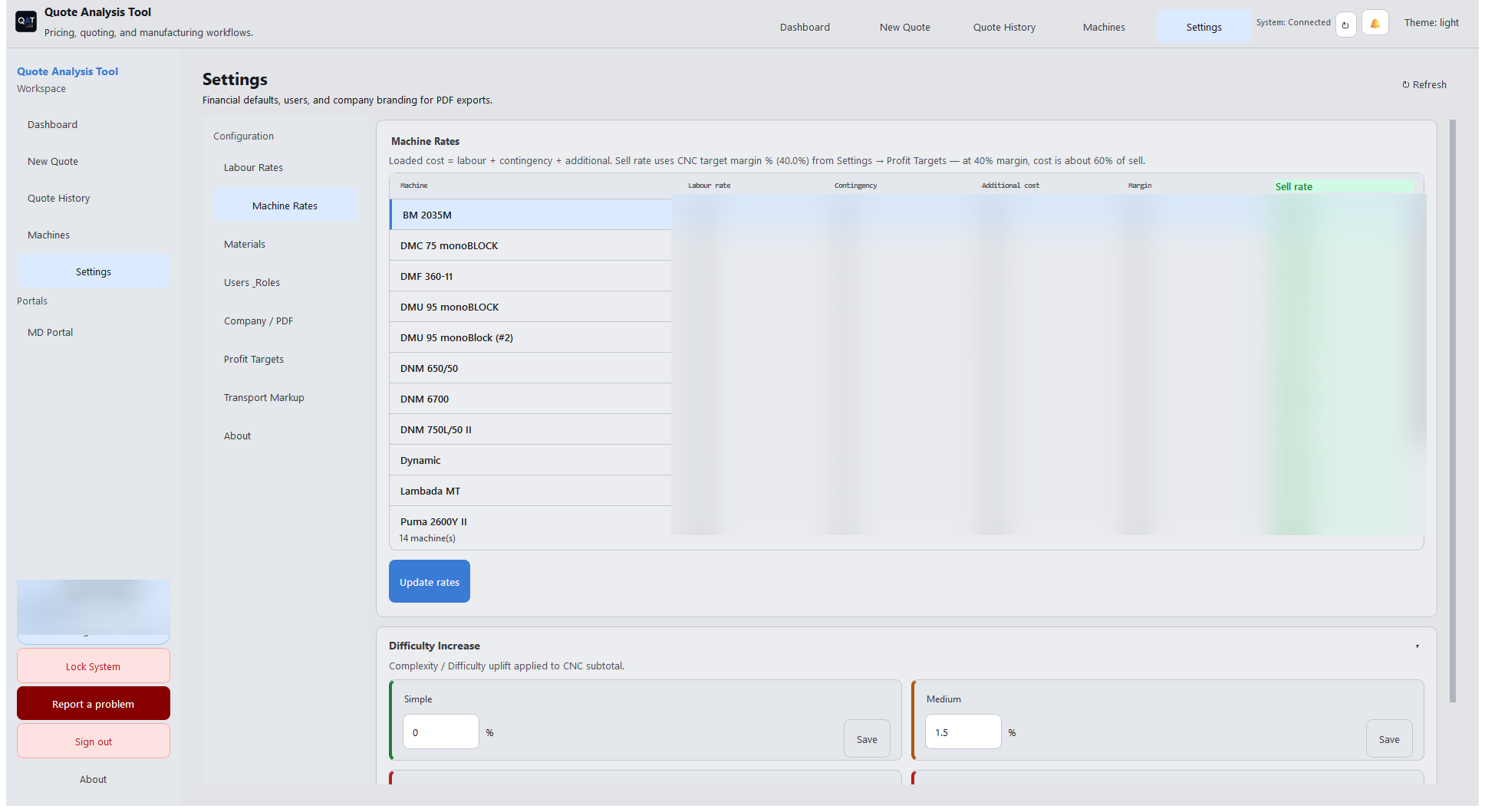
Machine rates
Machine Rates
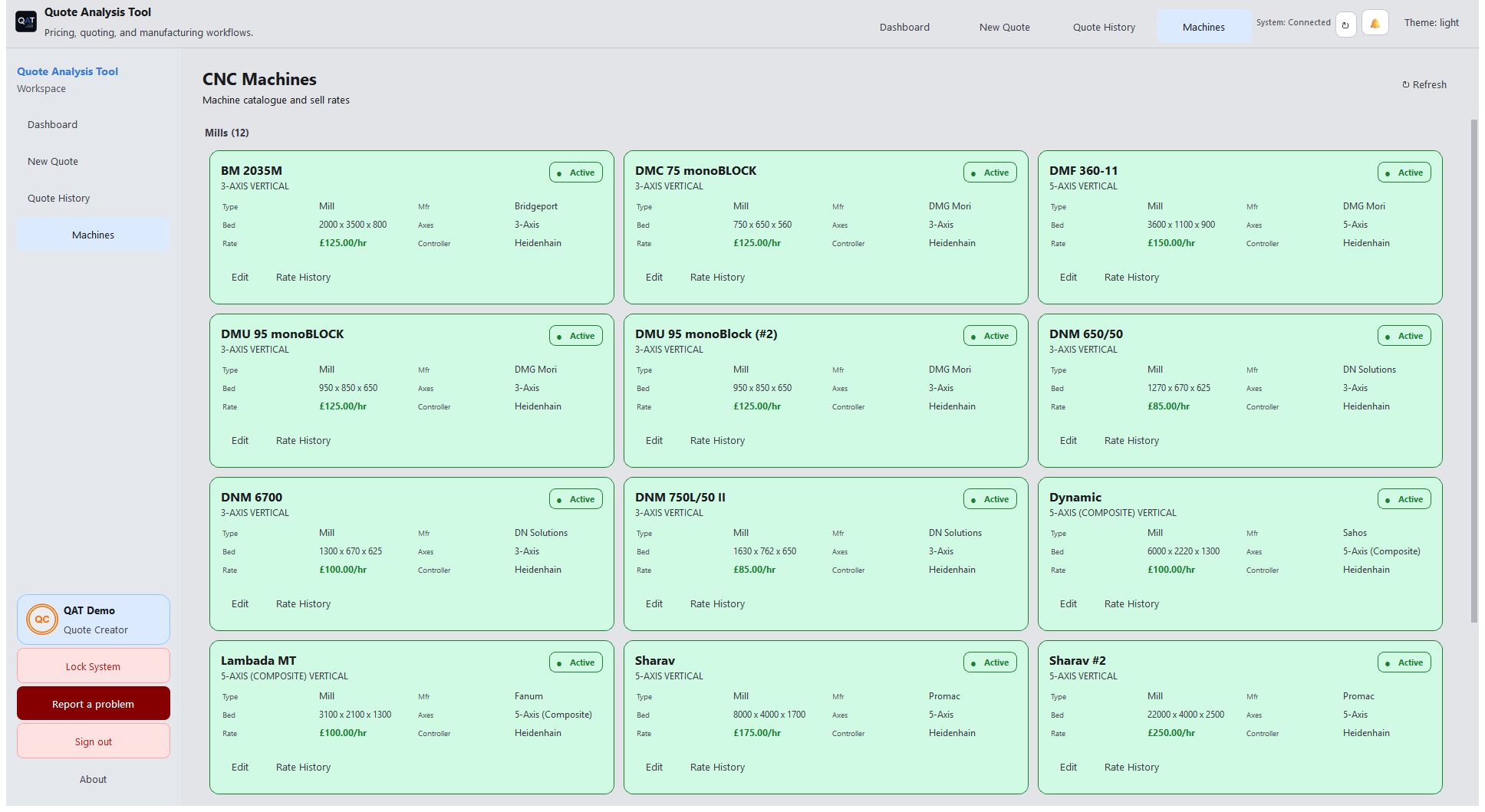
Machines list
Machines
Settings overview
Settings overview
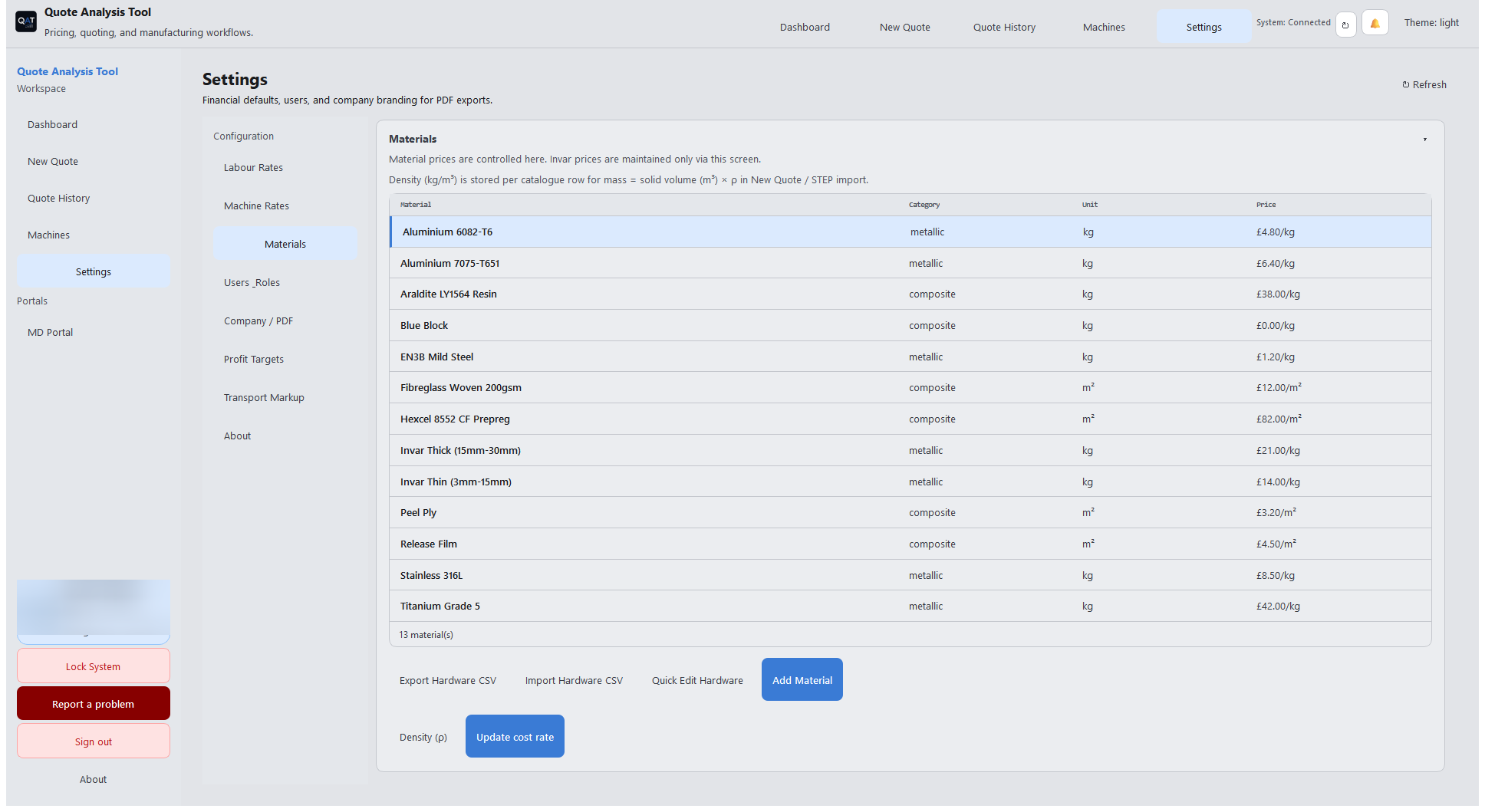
Materials catalogue
Materials catalogue — pricing controlled in one place
Two different approvals

Quote Vault and Financial Approval are separate.

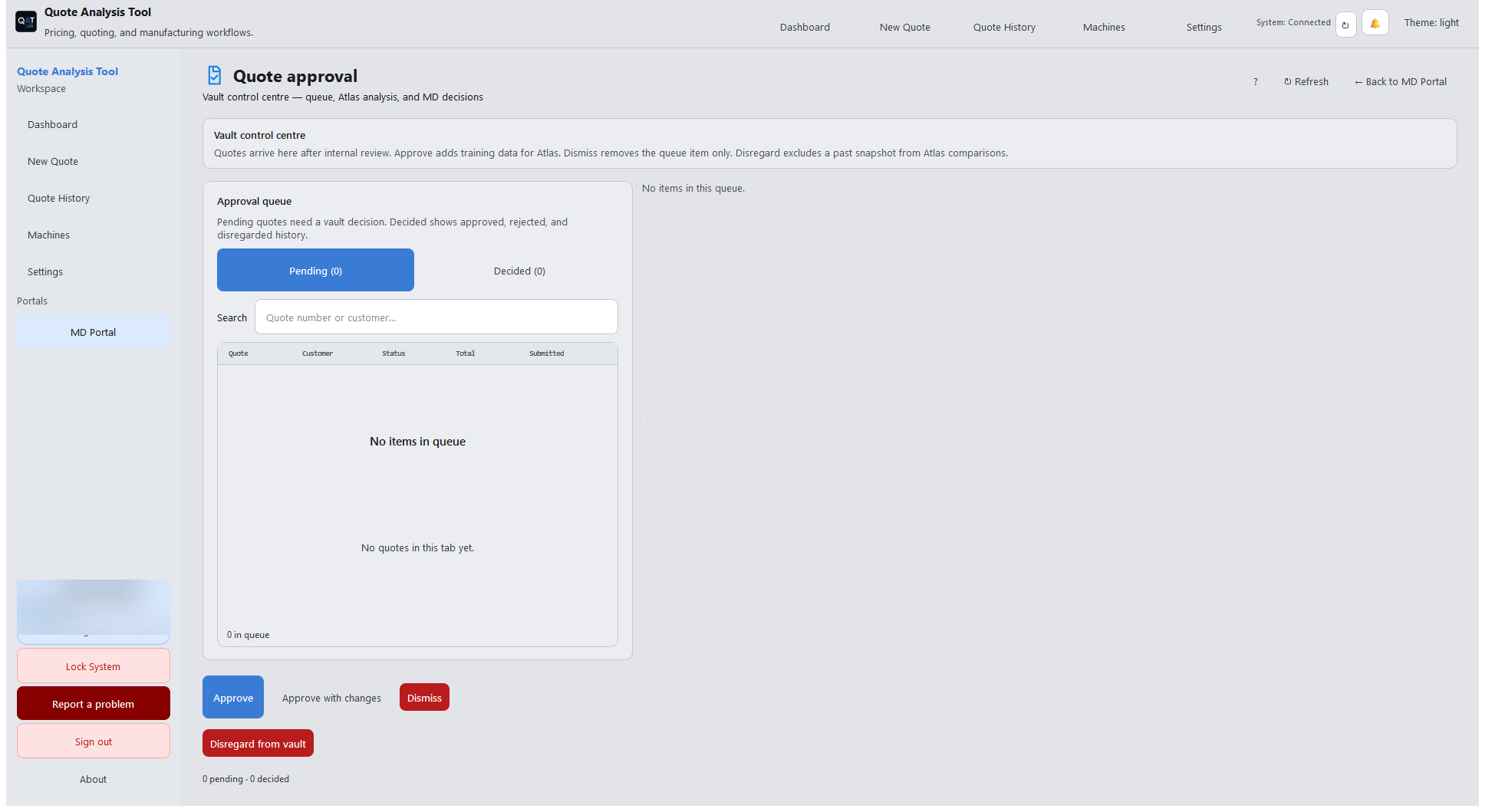
Financial Approval is where the MD (or Developer) accepts or rejects FC money-setting changes — for example a labour rate that looks wrong. Quote Approval (Vault) is the vault queue for quote review with Atlas. Releasing a quote to the customer is Approve quote on the quote itself — not the vault, and not Financial Approval.
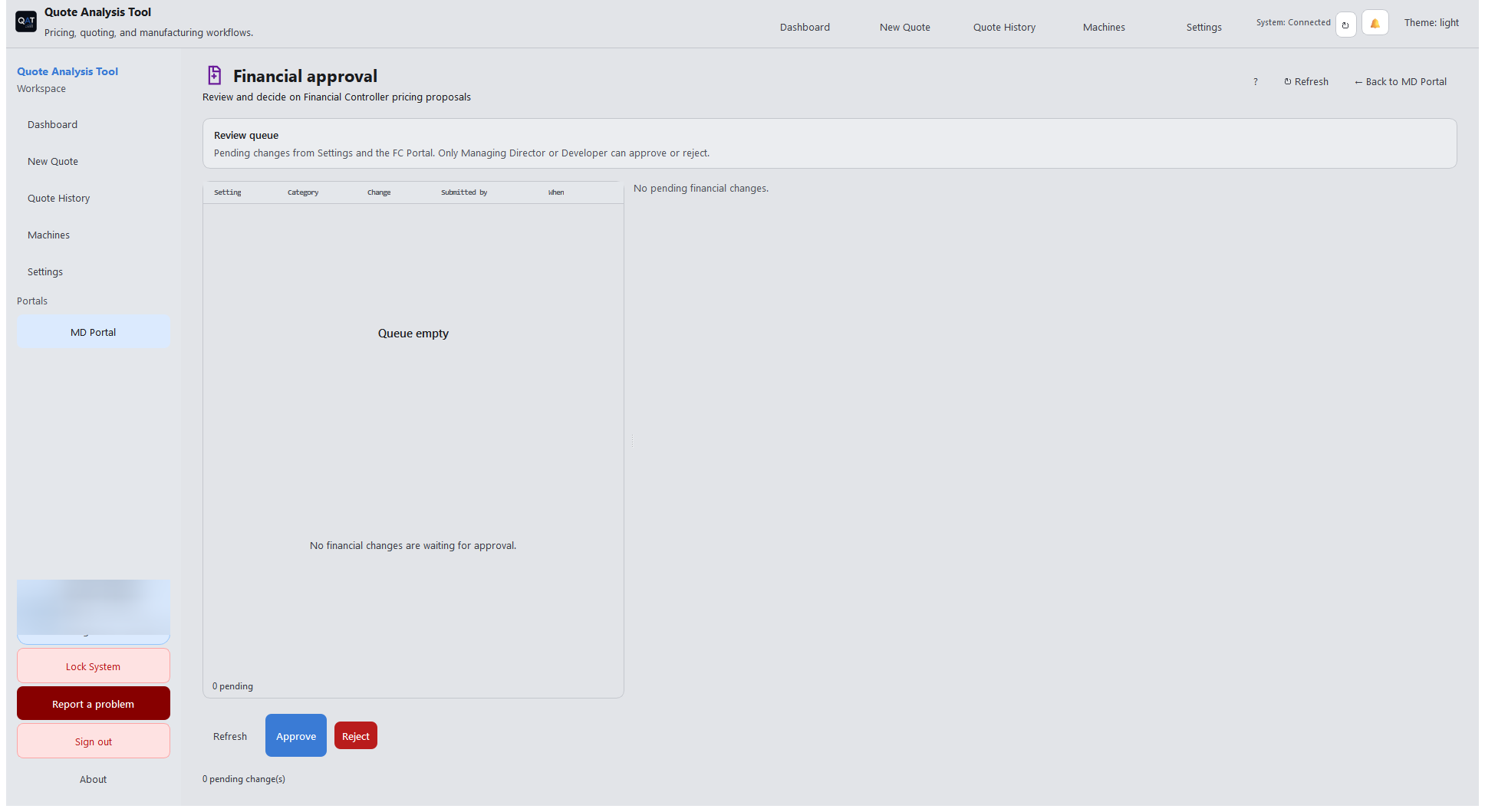
Financial Approval
Financial Approval — FC changes waiting for MD/Dev
Quote Approval Vault
Quote Approval Vault — quote queue (not customer release)
Approve quote on New Quote
Approve quote — business release on the quote
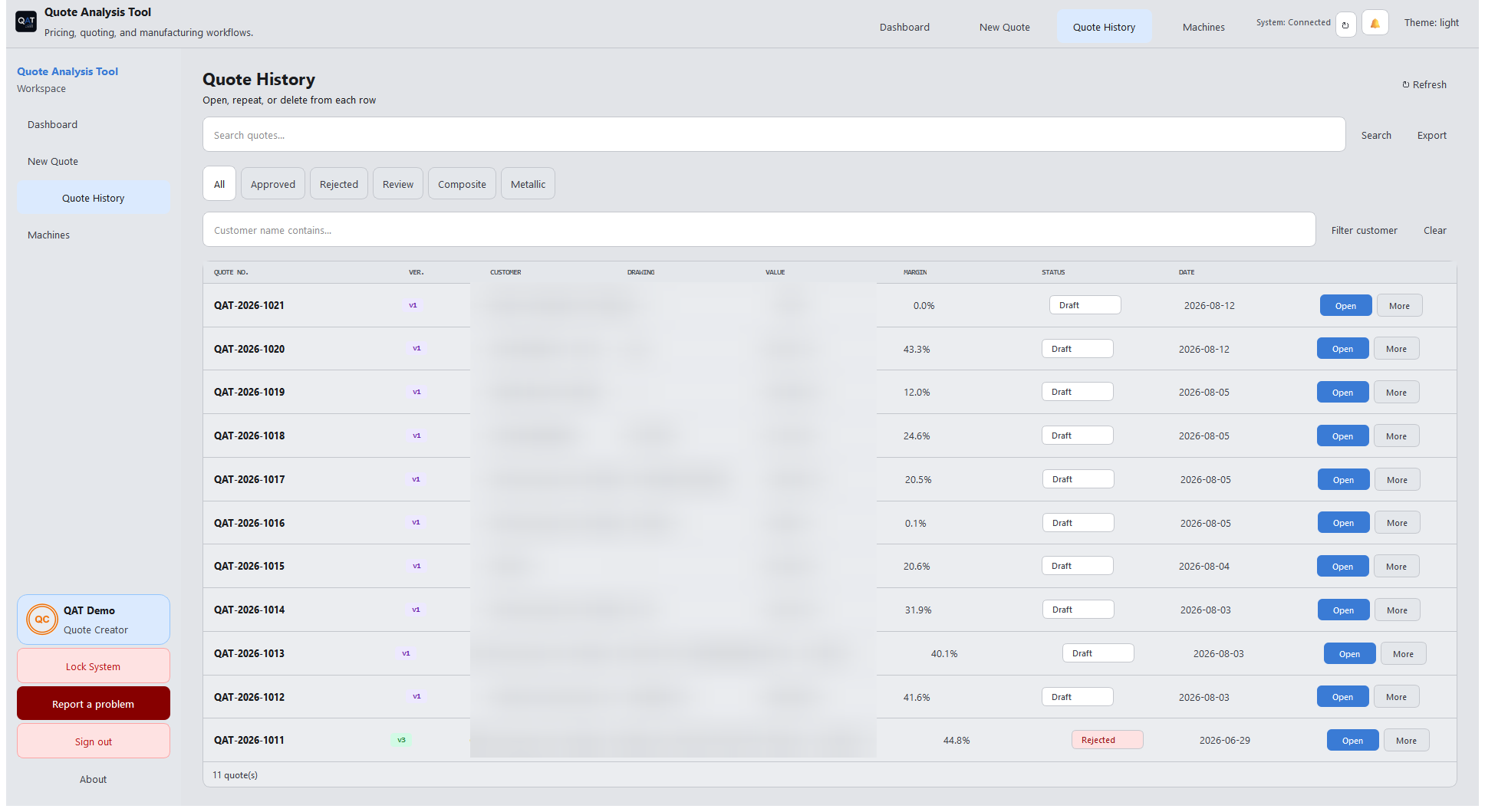
Quote History
Quote History

Request a licence Back to home

Admin & day-to-day

The workflow tools running behind the quotes.

User accounts, PDF branding, notifications, and the everyday controls that keep a shared workstation secure.
Users and roles
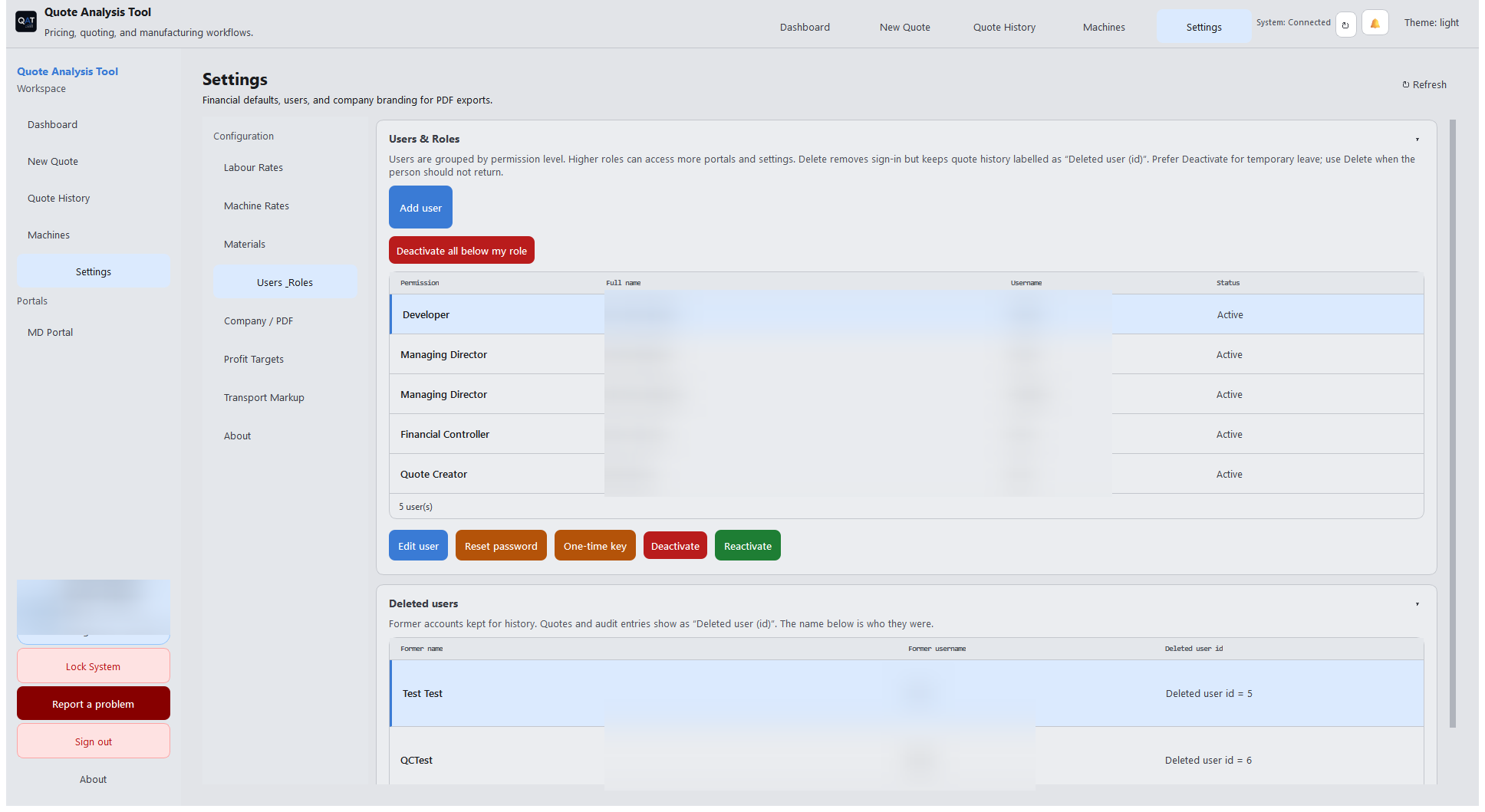
Users & Roles — permission levels, deactivate or delete
Company and PDF settings
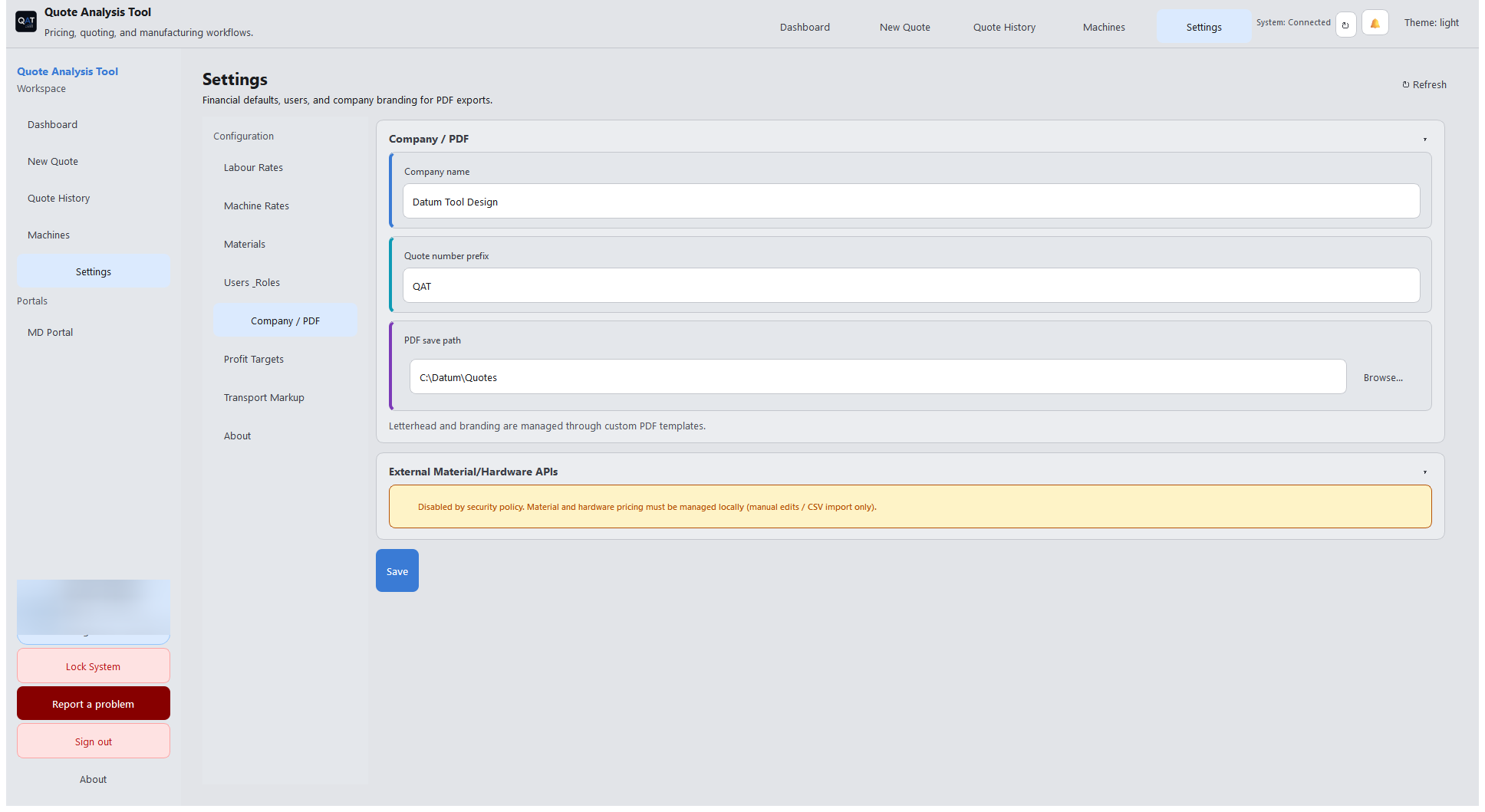
Company / PDF — branding for customer exports
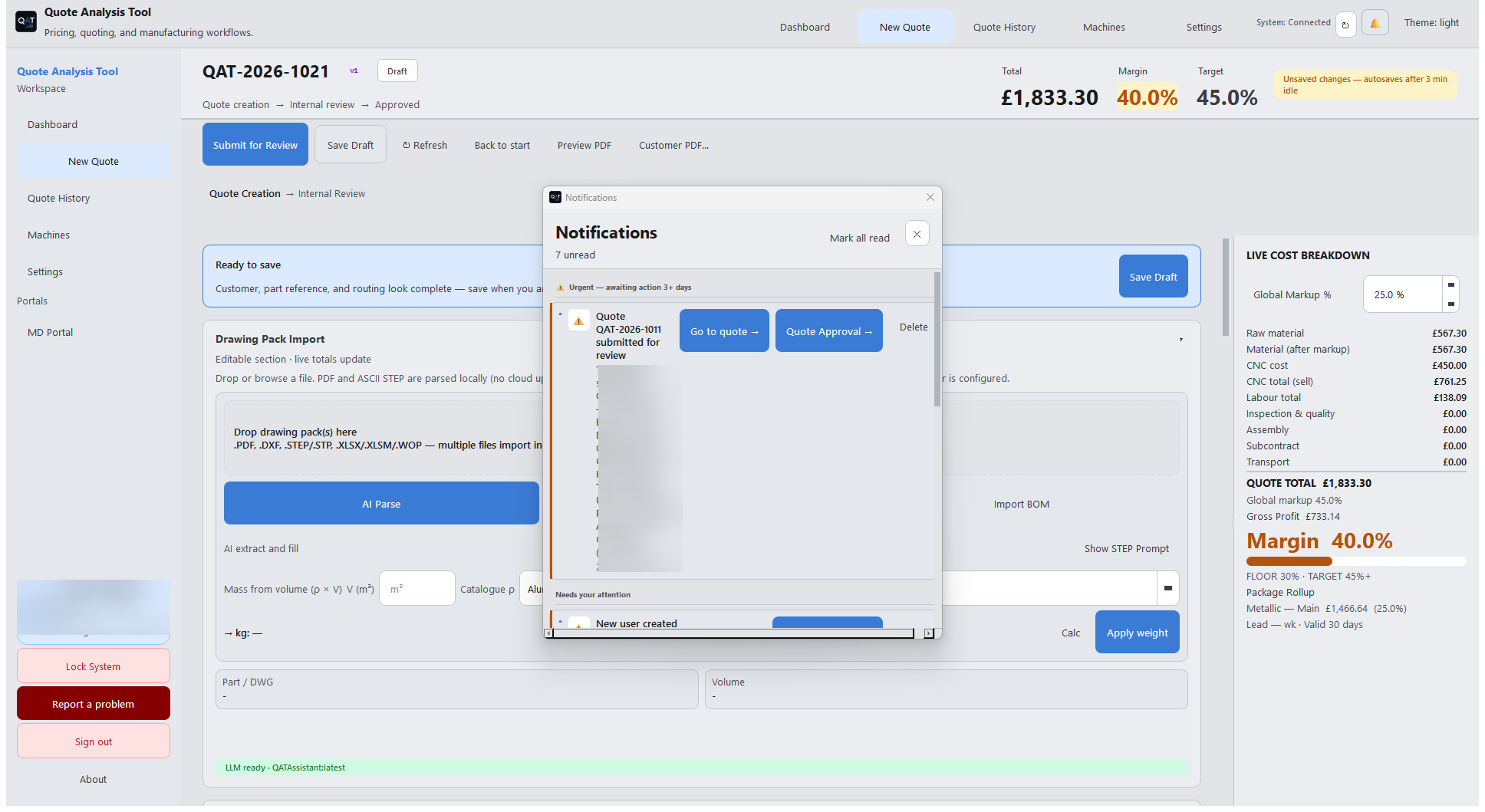
Notifications panel
Notifications — approvals, rejections, and user changes
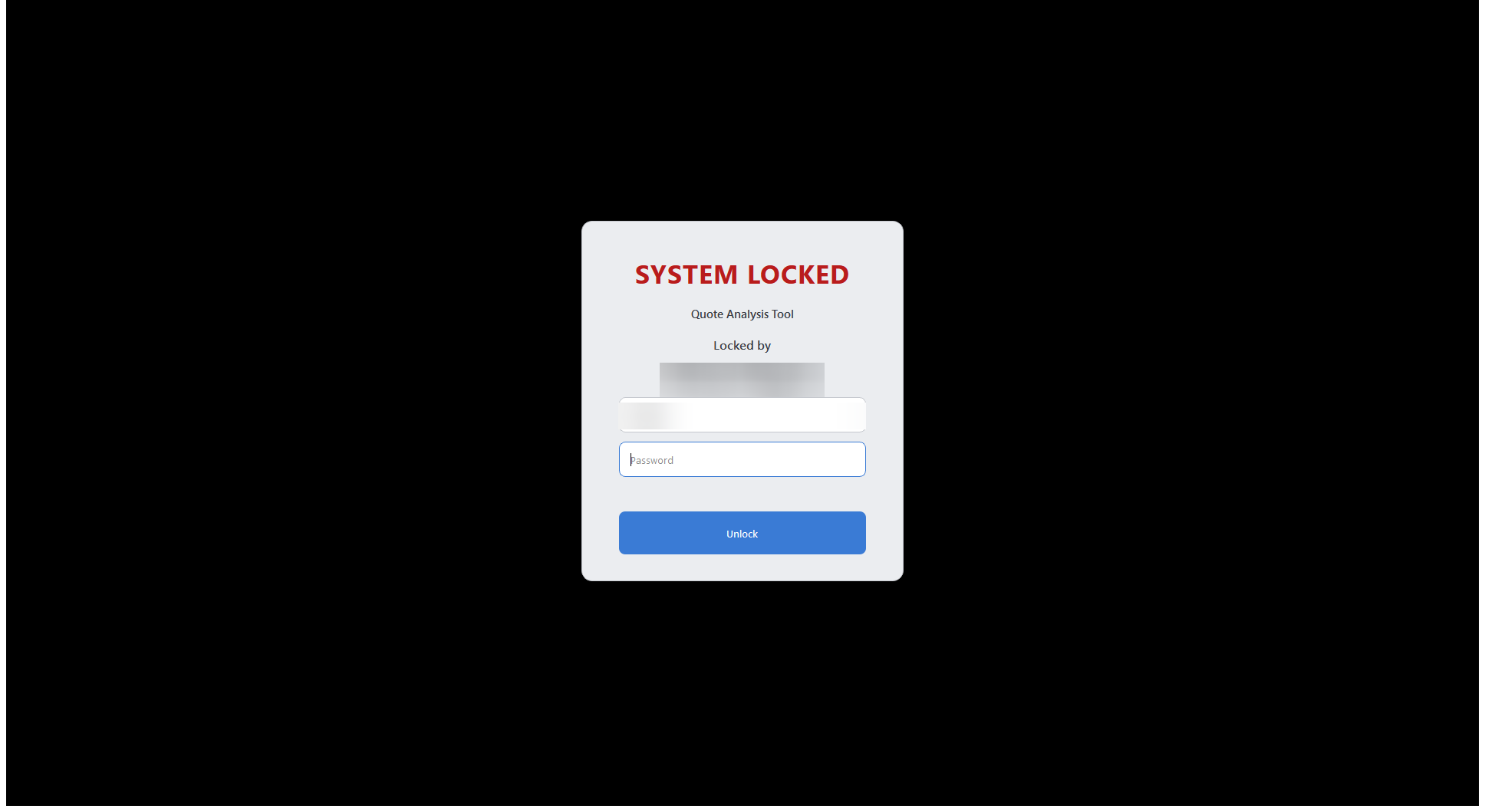
System locked screen
Lock System — shared shop-floor PCs stay secure
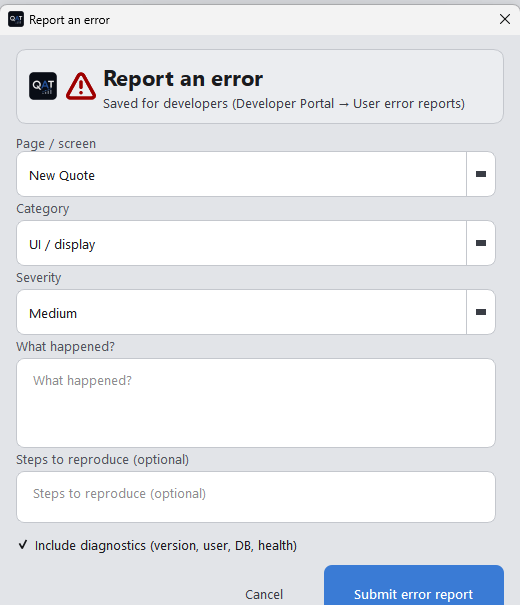
Report a problem form
Report a problem — straight to the developer queue